
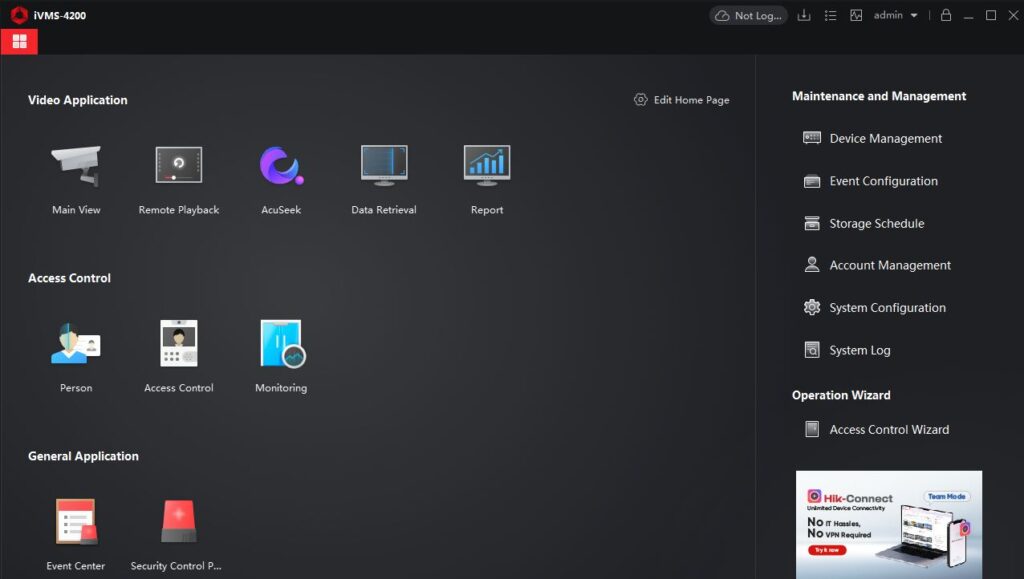
Latest released HikVision IVMS 4200 is video management software for HikVision CCTV cameras which also supports wireless CCTV Camera, Digital video recorder, Network video recorder, internet cameras.
It provides multiple functionalities, including Live-View, Play Back (Previous dated recorded files), Change setting for Camera, customize the configuration of CCTV without connecting monitor to the DVR or NVR, combine multiple hardware devices in one login, easily view multiple location CCTV footage in one view or window screen, also enable users to record video to local system and take backup of old data, IVMS 4200 is widely used for Small scale and medium business to monitor the premises or residence.
Software Version: iVMS-4200 V3.13.1.5_E (2025-07)
Software size: 316 MB
Operating System: Use a modern Windows version, preferably something still supported by Microsoft (e.g., Windows 10 or Windows 11) for best compatibility.
Before deploying in a production environment, test the software on your exact OS version (including bits: 32/64-bit).
iVMS-4200 (Windows) — FAQs:
What is iVMS-4200?
iVMS-4200 is a free, versatile video management software from Hikvision that supports live view, playback, device configuration, access control, video intercom, alarms, attendance, e-map, and more.
Which devices are compatible with iVMS-4200?
It supports most Hikvision devices: DVRs, NVRs, IP cameras, encoders/decoders, access control panels, video intercoms, alarm devices, etc.
Is iVMS-4200 free?
Yes — the Windows client software is free to download and use.
In how many languages is iVMS-4200 available?
The software supports 33 languages, including English, Simplified Chinese, Arabic, and more.
Where is the user manual stored after installation?
If you install iVMS-4200 with the default settings, the user manual is located at:
C:\Program Files (x86)\iVMS-4200 Site\iVMS-4200 Client\Client\User Manual.pdf
How do I get better performance (live view / playback) if my network bandwidth is low?
According to the user manual, you can tweak stream parameters (e.g. use sub-streams, lower resolution or bitrate) to optimize for low bandwidth.
Why is the iVMS-4200 VS Client discontinued?
Hikvision has discontinued the iVMS-4200 VS Client Software (as of January 31, 2021). The recommendation is to use the standard iVMS-4200 Client Software instead, which covers all VS functions.
How do I set up and manage the iVMS-4200 Service (for access control / attendance)?
The iVMS-4200 Service handles data like events, attendance, device data. You can manage its ports (e.g. picture storage server, live view), enable auto-launch, and control its run status via the system tray.
What should I do if I already have both a Hik-Connect account and an iVMS-4200 cloud account (same email/phone)?
As per Hikvision’s notice, starting iVMS-4200 version 3.9.0 (or above), if both accounts use the same phone/email, you can’t log in to the iVMS-4200 cloud service. You should unbundle and migrate devices from the cloud account to your Hik-Connect account.
Where are video downloads saved to when using iVMS-4200?
In the iVMS-4200 Client, go to Control Panel → System Configuration → File. Here, you can see (and change) the default paths where the software saves downloaded video, snapshots, logs, etc.